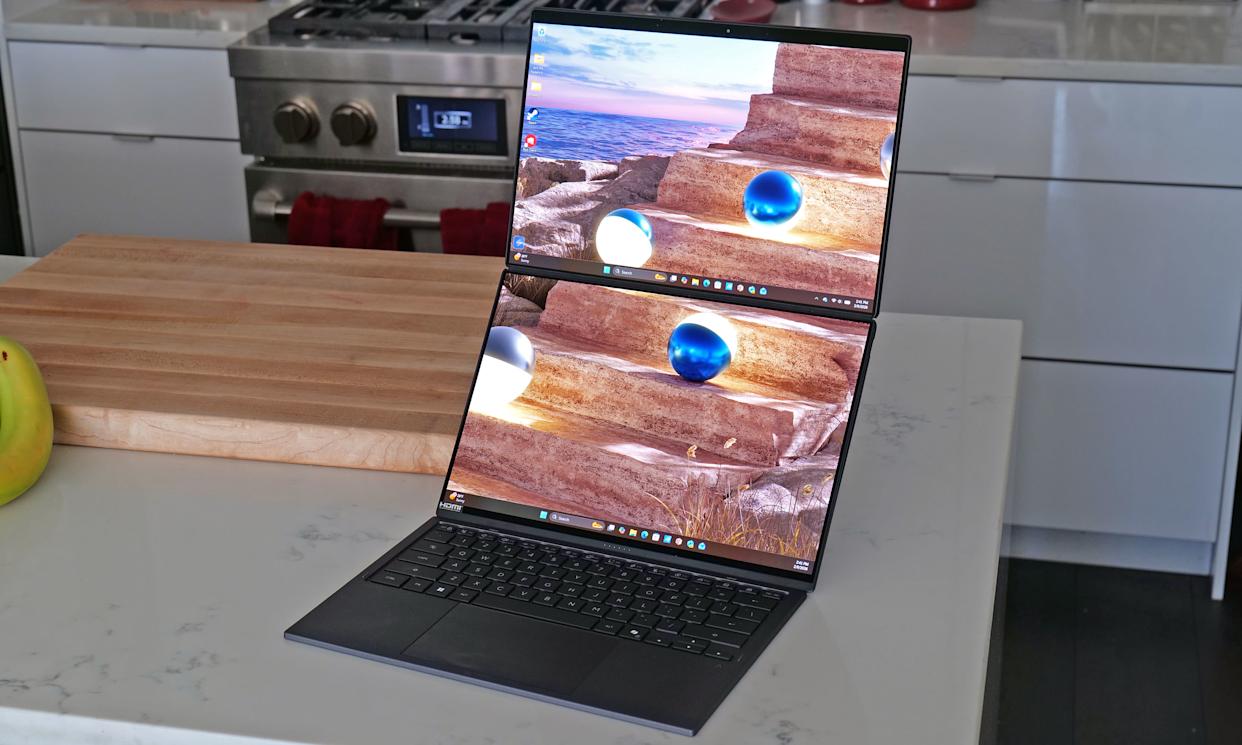
It takes time for novel designs to catch on. But even so, I am still wondering why the Zenbook Duo hasn’t had a bigger impact on the market after ASUS released its first true dual-screen laptop two years ago. Notebooks like these provide the kind of screen space you’d typically only get from a dual monitor setup, but in a much more compact form factor that you can easily take on the road. It could be that people were wary of an unfamiliar design, shorter battery life or buying a first-gen product — all of which are understandable concerns. However, now that ASUS has given the ZenBook Duo a total redesign for 2026, the company has addressed practically all of those barriers to entry while making it an even more convincing machine for anyone who could use more display space. Which, in my experience, is pretty much everyone.
[…]
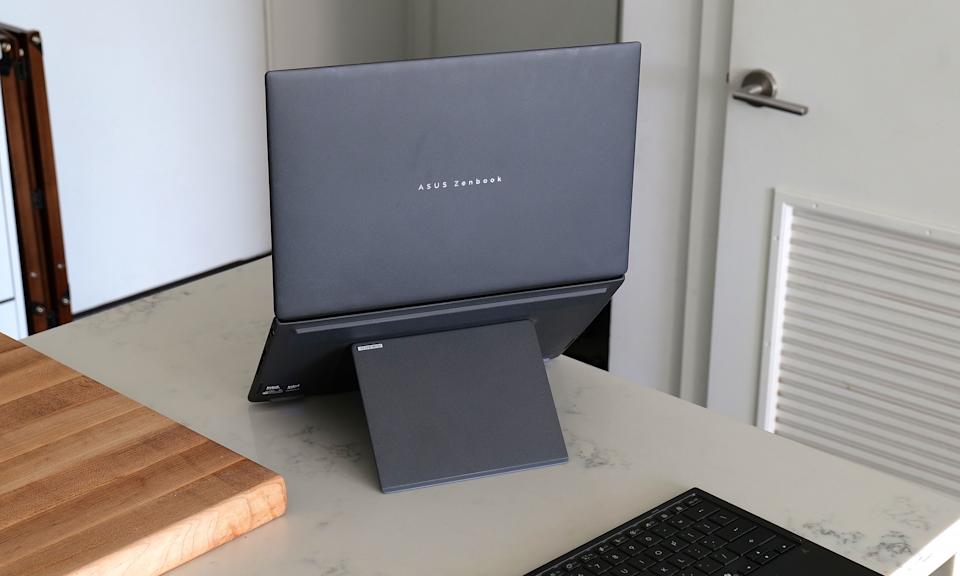
ASUS didn’t mess with the laptop’s basic layout too much. Instead, the company polished and tightened everything up, resulting in a system that weighs about the same (3.6 pounds) while reducing its overall size (12.1 x 8.2 x 0.77 to 0.92 inches) by five percent. Critically, you still get a built-in kickstand on the bottom and a detachable keyboard that you move wherever you want. There’s also a decent number of ports, including two USB-C with Thunderbolt 4, one USB-A 3.2 jack, HDMI 2.1 and a combo audio port
[…]
The standout feature on the Zenbook Duo continues to be its dual displays, and now for 2026, they look better than ever. Both OLED panels have a 144Hz refresh rate with a 2,880 x 1,800 resolution while also covering 100 percent of the DCI-P3 spectrum. And while its nominal brightness of 500 nits for SDR content is just OK, ASUS makes up for that with peaks of up to 1,000 nits in HDR. And to make both screens even more enjoyable, ASUS managed to shrink the size of their bezels down to just 8.28mm.
[…]
range of new Intel Core Ultra 7 and Core Ultra 9 processors, including the X9 388H chip used on our review unit. For general use and productivity, the laptop is super smooth and responsive, though that shouldn’t be a surprise coming from Intel’s latest top-of-the-line mobile CPU. However, for those seeking max performance, some of the benchmark numbers aren’t quite as impressive as you might expect. That’s because ASUS has limited the Duo’s TDP (thermal design power) to 45 watts — which is shy of the chip’s 80-watt turbo power limit.
[…]
Another pleasant surprise is that because the Duo’s chip comes with Intel’s upgraded Arc B390 integrated GPU, this thing has plenty of oomph to game on, let alone edit videos or other similar tasks.
[…]
You’d think a laptop with two displays would be super power hungry. However, by increasing the capacity of its cell from 75WHrs to 99WHrs, ASUS has made the Zenbook Duo’s endurance (or lack thereof) a complete non-issue. On PCMark 10’s Modern Office rundown test, the laptop lasted 18 hours and 33 minutes in single-screen mode. Granted, that’s nearly four hours less than what we got from MSI’s Prestige 14 Flip AI+, but considering that’s the longest-lasting notebook we’ve ever tested, I’m not bothered. When compared to ASUS’ own Zenbook A14 (18:16), things are basically a wash, which I think is a win for the Duo, as the A14 is meant to be an ultralight system with an emphasis on portability and longevity.
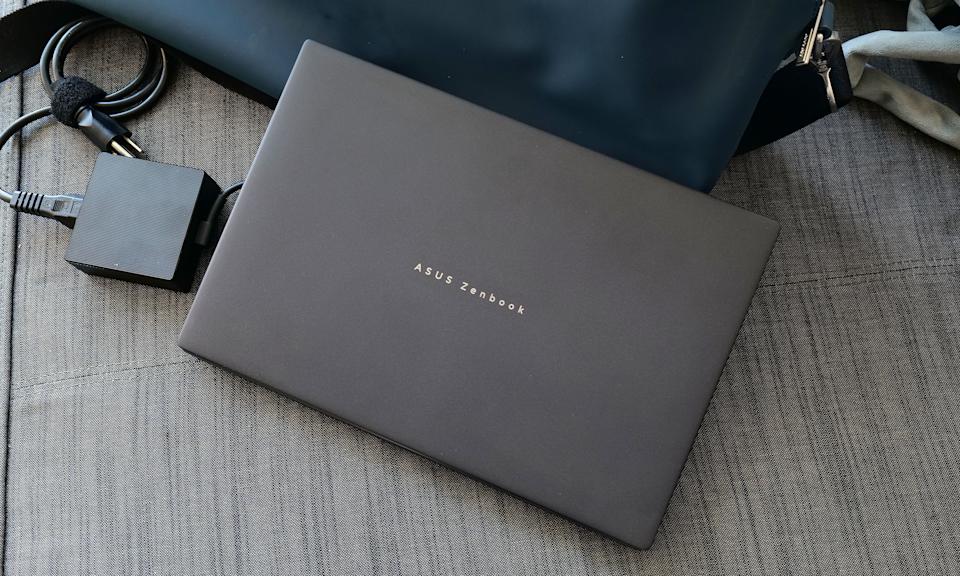
Obviously, battery life takes a hit when you’re using both displays. However, when I re-ran our battery test with its two displays turned on, the Duo still impressed with a time of 14:23. This is more than enough to give you the confidence to set this thing up in dual-screen mode even when an outlet isn’t close at hand. Thankfully, for times when you do need a power adapter, the charging brick on ASUS’ cable is rather compact, so it’s not a chore to lug it around.
Wrap-up
The Zenbook Duo’s battery life is good enough you won’t always need its power brick. Thankfully, when you do, ASUS’ 100-watt adapter is relatively compact. (Sam Rutherford for Engadget)
[…]
The 2026 Zenbook Duo combines a compact design with strong performance, plenty of ports and surprisingly good battery life. Sure, it’s a touch heavier than a typical 14-inch laptop, but its two screens more than make up for a little added weight and thickness. That leaves price as the Duo’s remaining drawback, and starting at $2,100 (or $2,300 as reviewed), it certainly isn’t cheap.
However, when you consider that a similarly equipped rival like a Dell XPS 14 costs just $50 less for a single screen, that price difference is rather negligible. Alternatively, if you opt for a more affordable ultraportable and then tack on a decent third-party portable monitor, you’re still likely looking at a package that costs between $1,500 and $1,800. Plus, that setup is significantly bulkier and more annoying to carry around.