Author Archives: Robin
Carry your PC around with you
Here in the office we have a problem with people who work 32 hour work weeks – it basically means that one workstation is unuseable for one day per week per 32 hour employee. This means we have troo many computers. As space is at a premium, we need a solution that allows employees to sit down behind any PC, log in, and be faced with their own desktop, email settings, bookmarks, etc etc.
At first though one would go for roaming profiles, but as profiles here are around 1 GB large, It would take too long to copy the whole profile from the server in the morning and to the server at shutdown time. Also it’s not unheard of for one person to log into two computers at the same time, which brings problems when they log off the PCs in the “wrong” order. Also, reading the samba documentation and commentary, people who try to implement this all seem to think it’s a bitch to do.
Then there’s an Active Directory server. I don’t know Active Directory and I don’t feel like installing one of these things and administering it (hey, I like LINUX servers!). Apparently though this is supposed to be a viable option.
Then there’s thin client setups. Unfortunately we all need to run photoshop. A server running 8 concurrent copies of photoshop is going to cost me much more than I want to spend on this project.
So I started looking for ways to store your domain profile on USB flash drives. The XP user manager doesn’t allow you to edit or even acknowledge domain profiles, so I can’t just set the clients to read and write to a USB stick.
After a lot of looking around I found these alternatives:
In Dash PC
Daily WTF
US Military Pondered Weaponry
The ultimate wakeup

Brainfuck
More sex in games!
USB hacking
Stunt flying

Implanting magnets
OGLE

Jetpack parachutes
Celebrities then and now
Stop shooting pigs with exploding bullets
Random net humor
Viewing the internet
There are a few ways to visualise internet and the traffic on it.
One way is to map it. The BBC has a good article on this.
The following programmes take a starting point and use linking for distance. The amount of links to and from a place is used for size.

Here is a large list of links to mapping projects
The above can lead to complex maps, usually starting from a single point (a URL).
More simply, smaller datasets can be mapped.
3D Traceroute turns a traceroute into a complex grapical representation.

Xtraceroute shows a 3D globe and shows the path of the packets over the globe.

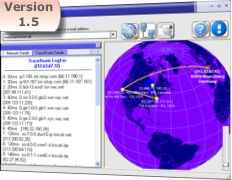
Another method is to browse traffic and see what it’s doing.
Swarm shows what other swarmers are doing, with the page with the most traffic in the centre.

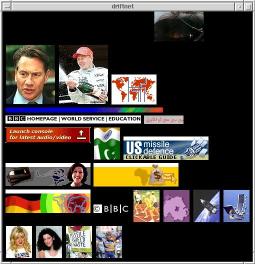
Webcollage randomly pulls images from internet and throws them up on the screen.
Then there are more freeform methods of viewing the internet.